
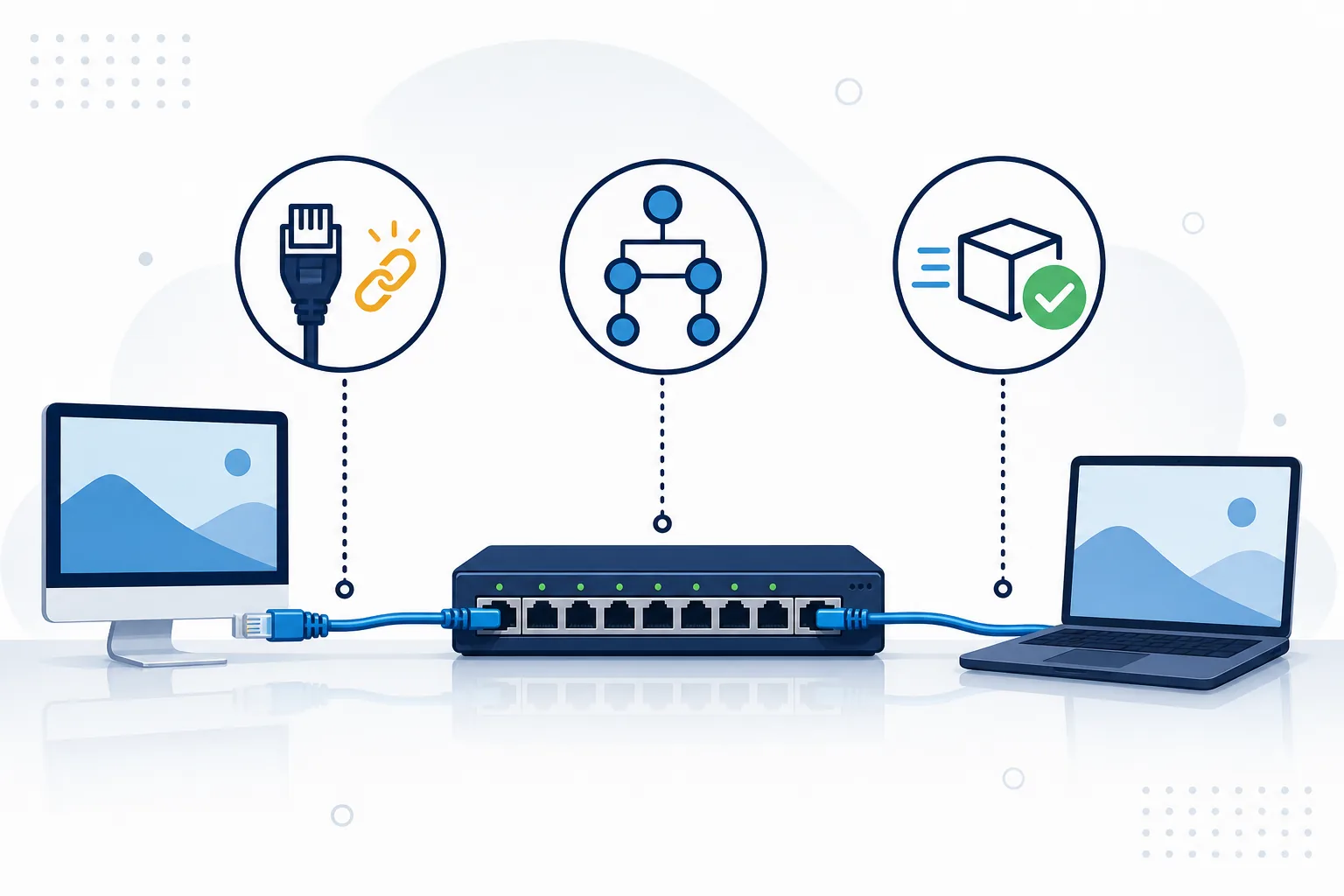
Packet Tracer installation problems at a glance
- Start with
- The exact error, operating system, and installed version
- Protect first
- Copy PKT, PKA, custom activities, and course files
- Linux clue
- A DEB dependency error is different from a bad file path
- Windows clue
- Installer, SmartScreen, and first-launch errors need separate checks
- macOS clue
- Package permission and security prompts are not the same as a damaged app
- Success test
- Launch, sign in if requested, build two devices, save and reopen a copy
What to check before changing Packet Tracer
If you searched for packet tracer installation problems because the app will not work, do not begin by deleting folders or installing random libraries. Write down what happens: the installer stops, the program opens and closes, a blank window appears, sign-in loops, or one PKT file fails. The same message can have different causes on different platforms, and a precise symptom prevents an unnecessary reinstall.
Record the operating system edition, processor architecture, Packet Tracer version shown in About or the application information screen, the package filename, and the full error text. Note whether the file came from Cisco Networking Academy or another source. A screenshot is useful, but copyable text is better when you need to compare a dependency name or a permission code.
Before changing the installation, close Packet Tracer and copy every PKT and PKA project to a separate folder. Include custom activities, templates, screenshots, and instructor files that may sit outside your usual lab directory. Work on a copy while testing. This boundary keeps troubleshooting from turning into a project-recovery problem.
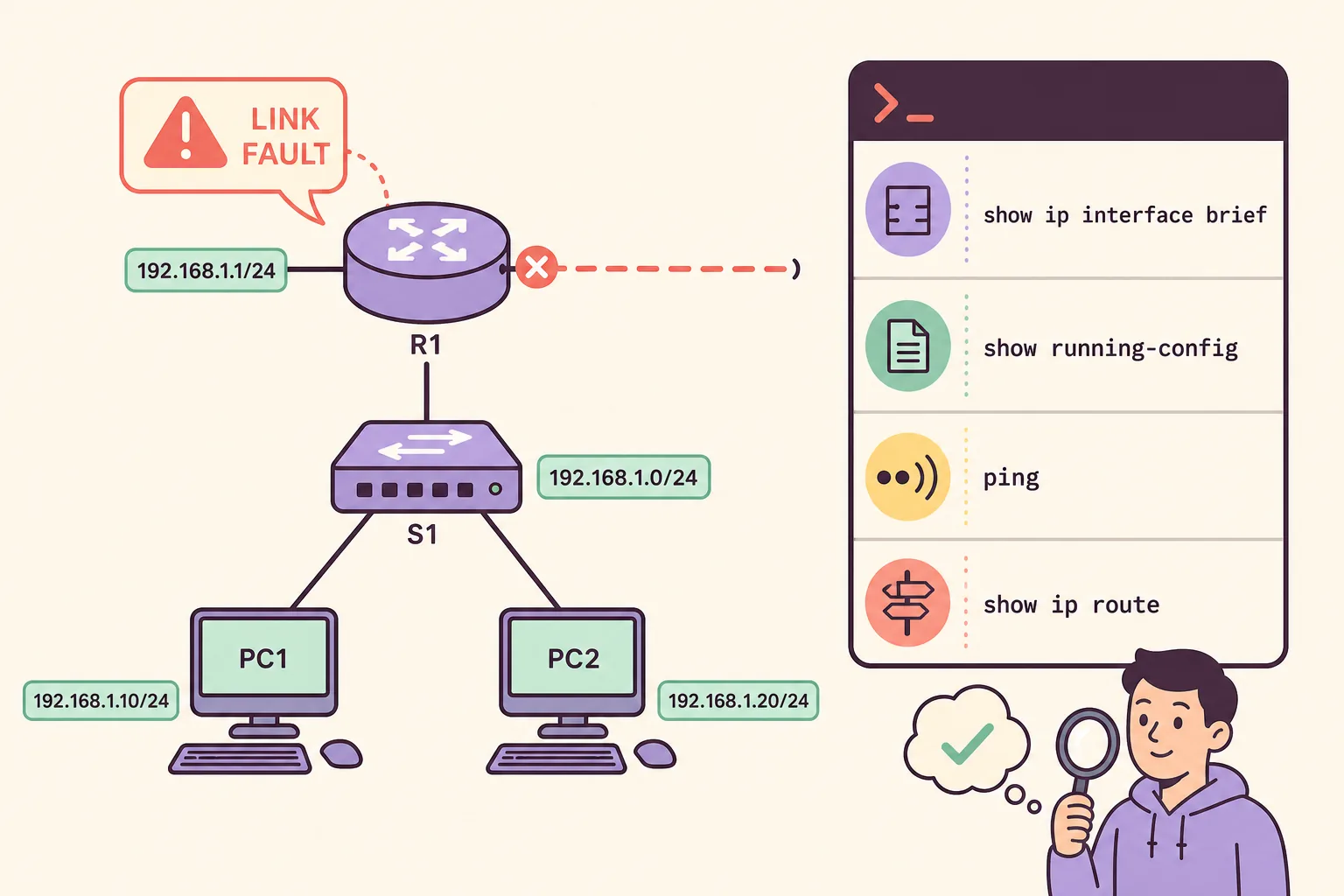
- Keep the original installer filename and download location.
- Write down the exact account, browser, proxy, and clock conditions for sign-in issues.
- Do not run the full application as root or administrator just to make a symptom disappear.
- Do not disable security controls to force an unknown package to run.
- Keep a known-good project copy until the new installation passes a test lab.
Packet Tracer will not install
An installer failure usually belongs to one of four layers: the file is incomplete or not from Cisco, the package does not match the operating system, the user lacks installation permission, or a dependency is unavailable. Check those layers in that order. A filename that contains a familiar version number is not proof that the package is authentic or supported.
On Windows, download again from the Cisco Resource Hub if the installer exits immediately, shows an unexpected publisher, or reports that the file is damaged. Use the normal administrator approval process required by the computer. If SmartScreen or an endpoint tool blocks the file, verify the source and institutional policy instead of bypassing the control. A clean download from Cisco and a supported Windows edition are more useful evidence than a mirror's checksum claim.
On macOS, confirm that the package matches the macOS release and processor type documented by Cisco. Open it through the normal security prompt. If macOS reports that the developer cannot be verified, stop and confirm the source rather than turning off Gatekeeper. An app that installs but cannot write to its user folders has a permission problem; it is not fixed by repeatedly downloading the package.
On Linux, first identify the distribution and architecture with cat /etc/os-release and uname -m. A DEB package must be handled by a compatible Debian-family system. From the directory containing the file, a typical local-package pattern is sudo apt install ./CiscoPacketTracer*.deb; use the exact filename Cisco supplied. If APT reports an unavailable library such as libgl1-mesa-glx, do not fetch a loose library from a random site. Compare the error with Cisco's supported environment and use the distribution repositories only when the package is appropriate.
A wrong path can look like a dependency problem. The Unix StackExchange evidence for this topic shows an unsupported-file error caused by running the command from the wrong directory. Change to the real download directory, list the filename, and then run the package command. If you used dpkg -i and it leaves dependencies unresolved, record the package names and let the supported package manager explain the repair; do not force a broken installation with checks disabled.
| Symptom | First check | Do not do |
|---|---|---|
| Installer exits or file is damaged | Re-download from Cisco and keep the original filename | Use a bundled mirror or a repack |
| Permission or publisher warning | Use the approved administrator or security workflow | Disable SmartScreen, Gatekeeper, or endpoint policy |
| Linux unmet dependency | Confirm distro, architecture, package format, and supported libraries | Install a random shared library or force APT |
| Unsupported file or path | Change to the real download directory and list the file | Paste an old filename from a forum |
| Course computer blocks install | Ask the instructor or administrator for the approved release | Change policy on a managed machine |
The Cisco Resource Hub is the source of truth for the package currently available to your account. Public pages may not show a stable version, file size, or direct installer URL before sign-in.
Packet Tracer installs but will not open
A successful installer does not prove that the first launch can create a profile, reach the sign-in service, or initialize graphics. Start the application once as the normal user who will own the lab files. If it closes immediately, note whether a window flashes, a crash dialog appears, or nothing is shown. Check the operating system event or application log when available, then change one condition at a time.
Windows launch failures can come from a partial install, a blocked executable, a stale user profile, a missing runtime component, or a graphics driver. Confirm that the shortcut points to the newly installed program, restart the computer once, and try a new empty project. If a security product quarantined a file, keep the event details and ask the administrator to verify the Cisco source. Reinstalling cannot repair a profile that the user account cannot write.
On macOS, separate a security prompt from a crash. Confirm the app was copied to the expected Applications location, allow only the normal system permission flow, and check that the user can write to the Documents or lab folder. Remote desktops and unusual graphics sessions may produce a blank window even when the package is intact; test locally before changing application files.
On Linux, a blank window or immediate exit may involve a missing library, graphics stack, Wayland/X11 behavior, or an unsupported distribution. Run the documented launcher from a terminal only to capture the exact message. Keep the output, distribution release, desktop environment, and graphics session together. Do not run the GUI as root, because it can create root-owned configuration and project files that create a second problem later.
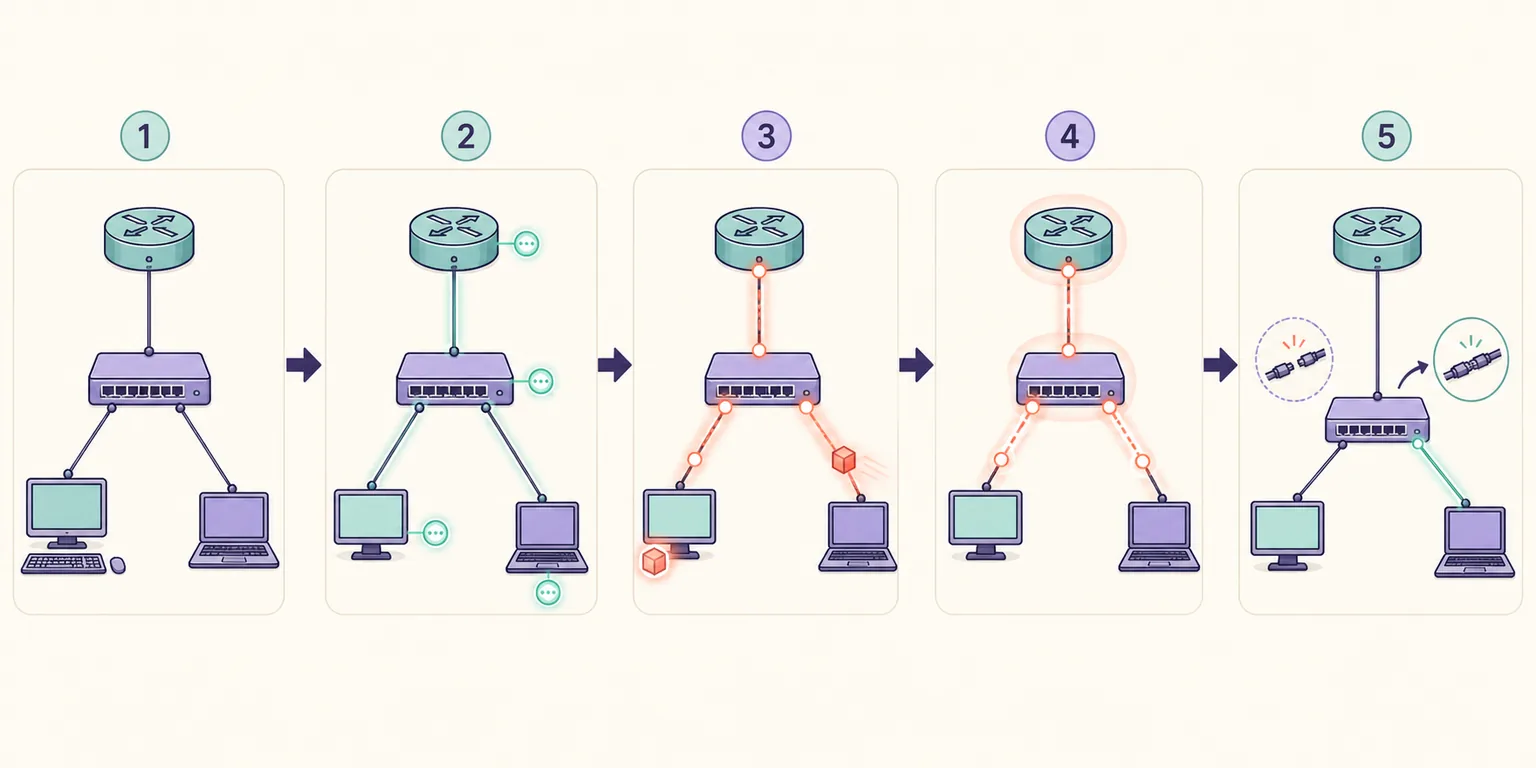
- 1
Launch as the normal lab user
Avoid root or administrator mode unless the operating system explicitly asks for installation permission.
- 2
Open an empty project
If a blank file works, the issue may be a project or custom asset rather than the installation.
- 3
Create two devices
Place two PCs or a PC and switch, connect them, and wait for the link state to settle.
- 4
Capture the failing condition
Record the display, terminal, event-log, or crash message before making another change.
- 5
Repeat after one correction
A fix is credible when the same small test passes twice without unrelated changes.
Login, network, and certificate problems
A Packet Tracer login problem is not automatically an installation problem. If the application opens normally but loops at sign-in, first confirm that the browser can reach the Cisco account page, the computer clock is correct, and the account itself can sign in outside Packet Tracer. Capture the exact message and the time it occurred. Do not repeatedly uninstall the program while the same account or network condition remains.
Institutional proxies, DNS filters, captive portals, and endpoint policies can block the domains used by Cisco's authentication flow. Test from an approved network, ask the administrator whether the required domains are allowed, and avoid copying credentials into a third-party launcher. A certificate warning is a reason to stop and verify the clock, proxy interception, and source domain; it is not a reason to accept an unknown certificate.
If a classroom release uses a different account flow, follow the instructor's requirement and keep the package source visible. When the browser succeeds but the embedded sign-in fails, record the browser and Packet Tracer versions, test a clean user profile if policy allows, and send the evidence to Cisco or the course administrator. Keep passwords out of screenshots, logs, and project folders.
- Check date, time zone, DNS, and the browser outside the app.
- Confirm the account works on Cisco's official page before changing files.
- Ask about proxy or firewall allowlists on managed networks.
- Never accept an unexpected certificate or paste credentials into a mirror.
- Redact passwords, tokens, and personal course details from diagnostics.
A PKT or PKA file will not open
When one project fails but an empty project works, treat the file as the primary suspect. Work from the backup copy and record the Packet Tracer version that created it. A project can reference custom activities, external files, or features that another release does not understand. Reinstalling the application may leave the project unchanged and can make recovery harder if the original is overwritten.
Test a second known-good PKT file, then test the failing copy on another approved computer with the same release. Compare the exact message, file size, location, and whether the file was copied from cloud storage or a removable drive. Move a copy to a simple user-writable folder and avoid changing the extension. If only one file is damaged, ask the instructor or author for a clean copy rather than downloading an answer file from an unknown site.
For a PKA or assessment activity, keep the untouched original and follow the course's permitted recovery process. Do not claim that a file is compatible solely because it has the same extension. The useful output of this check is a reproducible boundary: which release opens which copy, with which custom assets and permissions.
- Keep the original file read-only and test a duplicate.
- Compare the creating and opening versions.
- Check custom templates or activity assets separately.
- Use a user-writable local folder for the test copy.
- Ask the course owner for a permitted clean file when needed.
Use a repeatable Packet Tracer troubleshooting checklist
The shortest reliable recovery path is evidence first, then a reversible change, then a small test. Start with the source and platform, protect files, capture the error, and test an empty project. Only after those checks should you repair a package, reset a user profile, or reinstall from Cisco. This order prevents a display or account issue from being mislabelled as a corrupt installer.
When a repair succeeds, write down what changed and the test that passed. Save a tiny topology, reopen it, and then open a copy of a real lab. If the same symptom returns, the record helps an instructor, administrator, Cisco Community responder, or Cisco support technician see the boundary without guessing.
- 1
Protect projects
Copy PKT, PKA, custom activities, screenshots, and notes outside the installation folder.
- 2
Verify the source
Return to Cisco Networking Academy and check the platform package instead of a mirror.
- 3
Record the environment
Write the operating system, architecture, version, package filename, user, and network conditions.
- 4
Test the smallest path
Launch, create two devices, connect them, and save a new test file.
- 5
Escalate with evidence
Share a redacted error, exact steps, and the result of the copied-project test.
If a managed course computer blocks installation or sign-in, the administrator's approved process takes priority over a local workaround.
Packet Tracer installation problems FAQ
Why will Packet Tracer not install on Linux?
Check the Cisco package, distribution, architecture, path, and dependencies in that order. A DEB error such as an unavailable library may mean the package targets another supported environment; do not install a random library or force a broken package.
What should I do when Packet Tracer will not open?
Launch as the normal user, try an empty project, record the display or terminal error, and test a small two-device topology. Separate a graphics, profile, security, or dependency symptom before reinstalling.
Is a Packet Tracer login problem caused by the installer?
Not necessarily. Test the Cisco account in a browser, check the system clock and network, and ask about proxy or firewall rules. Reinstalling does not fix a blocked account or authentication path.
How do I fix an unmet libgl1-mesa-glx dependency?
Record the exact distribution and package error, compare them with Cisco's supported environment, and use only normal repositories when the package is appropriate. Ubuntu releases can rename or remove compatibility packages, so an old forum command is not universal.
Why does one PKT file fail while Packet Tracer starts?
The project may be damaged, created by another release, or dependent on custom assets. Test a copy, compare versions and locations, and request a permitted clean file rather than overwriting the original.
Should I run Packet Tracer as administrator or root?
Use elevated permission only for the installation step required by the operating system. Run the application as the normal lab user so projects and configuration remain writable by that user.
When should I reinstall Packet Tracer?
Reinstall only after verifying the official package, protecting projects, testing an empty file, and capturing the error. If the problem is an account, proxy, graphics session, or single project, reinstalling may not change the cause.
Where can I get more help with Packet Tracer installation problems?
Share a redacted, reproducible report with your instructor, system administrator, Cisco Networking Academy, or a Cisco Community forum. Include the platform, package source, exact error, and the result of the small topology test.
Sources and safe next steps
- Cisco Packet Tracer product page
Cisco Networking Academy overview and official access path.
- Cisco Networking Academy Resource Hub
Official sign-in and package resource destination.
- Cisco Community: Installing Packet Tracer on Ubuntu
A community report used to identify the unmet-dependency symptom; community fixes are not a Cisco support promise.